Reading the CAN bus of a vehicle changes what you know about your fleet. You go from "where is it and how fast is it going" to "how much fuel it uses, when service is due, who is driving, whether the seatbelt is on, whether the doors are closed, whether AdBlue is dropping and what OEM mileage it has". But the CAN bus is not read the same on every car nor on every tracker. In this post we go through what parameters an FMC150 (native CAN) actually reads vs an FMC130 (via CAN-CONTROL adapter), and when paying the technical complexity is worth it.
What the CAN bus is and why it matters
CAN (Controller Area Network) is the digital nervous system of the modern car. It is a serial communications bus through which the engine ECU, transmission ECU, airbags, ABS brakes and a few dozen other modules talk to each other in real time. It has existed since 1986 (the Mercedes S-Class W126 was the first), and since 2008 every car sold in Europe must carry it.
What matters for fleets: all OEM vehicle data travels on the CAN. If you connect to that bus correctly, you know what the car's computer knows: real consumption (not GPS-estimated from speed derivative), OEM mileage, RPM, status of each door, alternator voltage, fuel and AdBlue level, driver ID (where the vehicle emits it), and a long list more.
Without CAN you can only infer things from outside: speed calculated by GPS, consumption estimated with a generic divisor, mileage summed by GPS (which drifts from the real odometer because it does not count movements without GNSS signal). With CAN you have the real numbers from the car.
Two ways to read CAN with Teltonika: native vs adapter
Teltonika has two architectures to read the CAN bus:
- Native CAN integrated in the tracker. The device itself connects directly to the car's CAN and decodes the frames. The FMC150 does this. One piece, one cable to the bus, simpler installation.
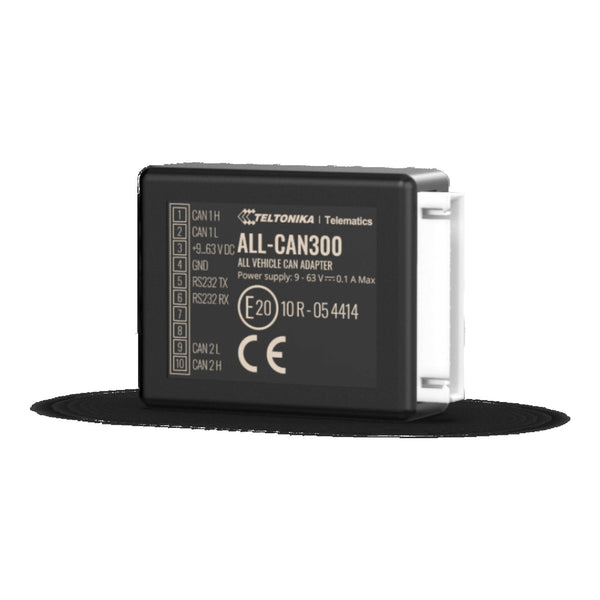
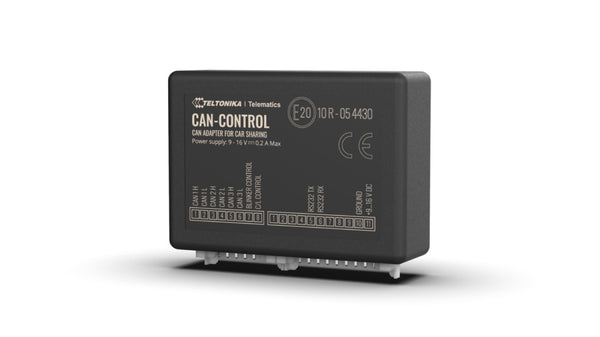
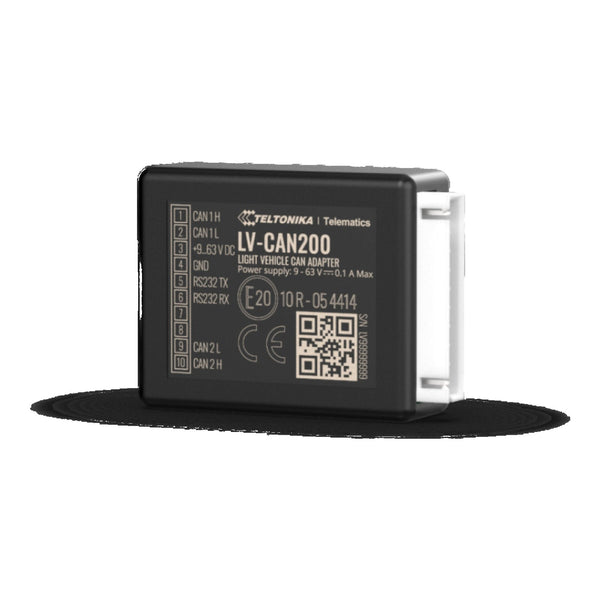
- External CAN-CONTROL adapter. An intermediate piece (LV-CAN200 or ALL-CAN300) connects to the car bus, decodes the frames, and passes clean data to the tracker (typically FMC130) over a serial interface. Two pieces, more wiring, more cost, but more model coverage and electrical isolation.
The choice is not about technical power but about covered model universe and electrical risk profile. Let's dig in.
What parameters the FMC150 reads (native CAN)
The FMC150 has an integrated CAN controller and firmware that knows OEM protocols. The official parameter list it decodes is long; here are the most useful in a fleet:
Identification and traceability
- Vehicle VIN — picked up from the bus at start-up.
- Total OEM mileage (not the GPS-calculated one).
- Mileage to next service (on premium models).
- Driver ID (if the vehicle emits it — Mercedes Vito, BMW 3 Series, etc.).
Engine status and consumption
- Instant RPM.
- Instant consumption in litres/hour or l/100km depending on vehicle.
- Accumulated consumption since last reset.
- Fuel level in litres and/or percentage.
- AdBlue level in litres (Euro 6 diesel).
- Coolant temperature.
- Oil temperature (on some models).
- Turbo pressure (some diesels).
Vehicle dynamics
- OEM speed (the speedometer reading, more accurate than GPS at low speed).
- Throttle position.
- Current gear (on automatics).
- Brake status.
- Eco-driving: harsh acceleration, braking, speeding detected by the ECU itself.
Equipment and safety
- Seatbelts (driver, front passenger, rear seats depending on model).
- Doors open / closed (each door individually).
- Bonnet / boot.
- Lights (low beams, high beams, indicators, fog lights).
- Wipers.
- Airbag events and recorded collision events.
Coverage: the FMC150 with its native CAN supports ~600 models per Teltonika's official list. It works well on modern cars and vans (Renault Trafic / Master, Fiat Ducato, Mercedes Sprinter / Vito, Ford Transit / Custom, Iveco Daily, VW Crafter / Transporter, etc.) built from around 2010 onwards. For older vehicles or brands with proprietary CAN dialects (some old Volvos, pre-2014 MAN trucks, Chinese vehicles), it does not read.
What parameters the FMC130 + CAN-CONTROL reads
The FMC130 alone does not read CAN. The FMC130 + CAN-CONTROL combo (LV-CAN200 or ALL-CAN300) reads the same family of parameters as the FMC150, but with two important differences:
Difference 1: much broader coverage
The CAN-CONTROL has a supported model universe > the FMC150's native CAN:
- LV-CAN200: ~600 models. Equivalent to the FMC150, with cars and light vans.
- ALL-CAN300: ~1,500 models. Covers cars + vans + medium and heavy trucks (Mercedes Atego, Volvo FH, Scania, MAN TGM, DAF) + agricultural and construction machinery (John Deere, Case IH, Caterpillar, Volvo CE). It is the universal adapter.
If your fleet is exclusively modern cars, LV-CAN200 works. If you mix brands, older models, trucks or machinery, ALL-CAN300 is the right option.
Difference 2: isolation and normalisation
The CAN-CONTROL is an active device that sits between the car bus and the FMC130. It does three things that the FMC150 native CAN does not:
- Electrical isolation: if the FMC130 fails, short-circuits or someone tampers with it, the car bus stays intact. With the FMC150 you are connected straight to the bus; a tracker failure can (in rare cases) affect the CAN.
- Data normalisation: different brands emit the same value in different formats (l/100km vs ml/s, km vs miles, volts vs centivolts). The CAN-CONTROL translates them into a unified format before passing them to the tracker, so your platform receives consistent data across brands.
- Noise filtering: the car CAN emits hundreds of messages per second. The CAN-CONTROL only forwards the ones that matter, avoiding saturating the tracker.
That is desirable in large mixed fleets. In a homogeneous fleet of modern cars it does not show.
J1939 / FMS standard (heavy trucks)
European heavy trucks do not use the manufacturer's OEM CAN for public data. They use J1939, an industry-standard CAN protocol, and specifically the FMS variant (Fleet Management Standard) for fleet management data: mileage, consumption, RPM, AdBlue, eco infractions, tachograph data.
To read J1939 / FMS:
- The FMC150 with native CAN reads FMS on trucks that expose it, but not full coverage.
- The FMC130 + ALL-CAN300 reads FMS on virtually any modern truck.
- The FMC650 is the specific model for trucks: reads FMS + digital tachograph interface (remote download of DDD files for driver and company). If your use is heavy trucks with tachograph, the FMC650 is the right one, not the FMC150 or FMC130.
Scenario-based decision
| Scenario | Best combination |
|---|---|
| 30 homogeneous modern cars (corporate renting) | FMC150 native CAN — one piece, quick install, enough coverage |
| 15 Trafic 2018 vans + 5 Sprinter 2014 | FMC130 + ALL-CAN300 — modern Trafic would fit native FMC150, Sprinter 2014 probably not |
| Construction company with cars + vans + heavy machinery | FMC130 + ALL-CAN300 — the only one that covers everything under one data profile |
| Company with European heavy trucks with tachograph | FMC650 — purpose-built, do not use FMC150/130 |
| Mixed fleet where the decision is not to touch the vehicle's native CAN (renting, leasing, warranty) | FMC130 + ALL-CAN300 — electrical isolation is decisive here |
| I want OEM data but I don't want to wire anything | FMC003 OBD — via OBD-II, fewer parameters than CAN but plug & play |
Compatibility: how to know if your model will read
Teltonika publishes official compatibility lists for native CAN (FMC150) and for CAN-CONTROL (LV-CAN200 / ALL-CAN300). The list structure is:
- Make / Model / Year / Variant (engine + transmission).
- List of IOs read: VIN ✓ / Odometer ✓ / Consumption ✗ / ...
- Specific installation notes (which wire to cut, which OBD-II connector pin to use).
Before buying for a large fleet, always cross-check your exact models against the official list. If you have doubts or your model is not listed (imported vehicle, Chinese model, new EV), write to us with the registration and VIN; we cross-check against Teltonika's internal documentation and reply within 24h on whether it reads and which parameters.
Things CAN does NOT improve
So you don't get the wrong impression about what it brings:
- It does not improve GPS accuracy. Position still comes from the tracker's GNSS module (GPS+GLONASS+Galileo+BeiDou on modern models). What improves is the contextualisation of the position (with car data).
- It does not give you advanced active safety data (ADAS, autonomous braking, lane keeping). For that you need the dedicated ADAS camera.
- It does not always read 100% of the advertised IOs. Coverage varies by model and CAN dialect. A Ford Custom 2020 may read mileage, consumption and AdBlue, but not driver ID because Ford does not expose it in its CAN. Check the official list.
Summary
The CAN bus turns a tracker into a multi-dimensional vehicle sensor. If your fleet justifies it (more than 10 vehicles, OEM data essential for your business: real consumption, eco-driving, OEM mileage), the complexity is worth it.
The choice between FMC150 native CAN and FMC130 + ALL-CAN300 comes down to:
- Homogeneous fleet of modern cars / vans → FMC150.
- Mixed fleet or with older vehicles / trucks / machinery → FMC130 + ALL-CAN300.
If you need a tachograph, go straight to the FMC650. If you want OEM data without wiring, look at the FMC003 OBD.
And if your case does not fit any clean box, message us on WhatsApp at +34 630 88 28 19 with your fleet composition; we reply with the exact combination and expected coverage per model.